
Your cart is currently empty!
Sale!






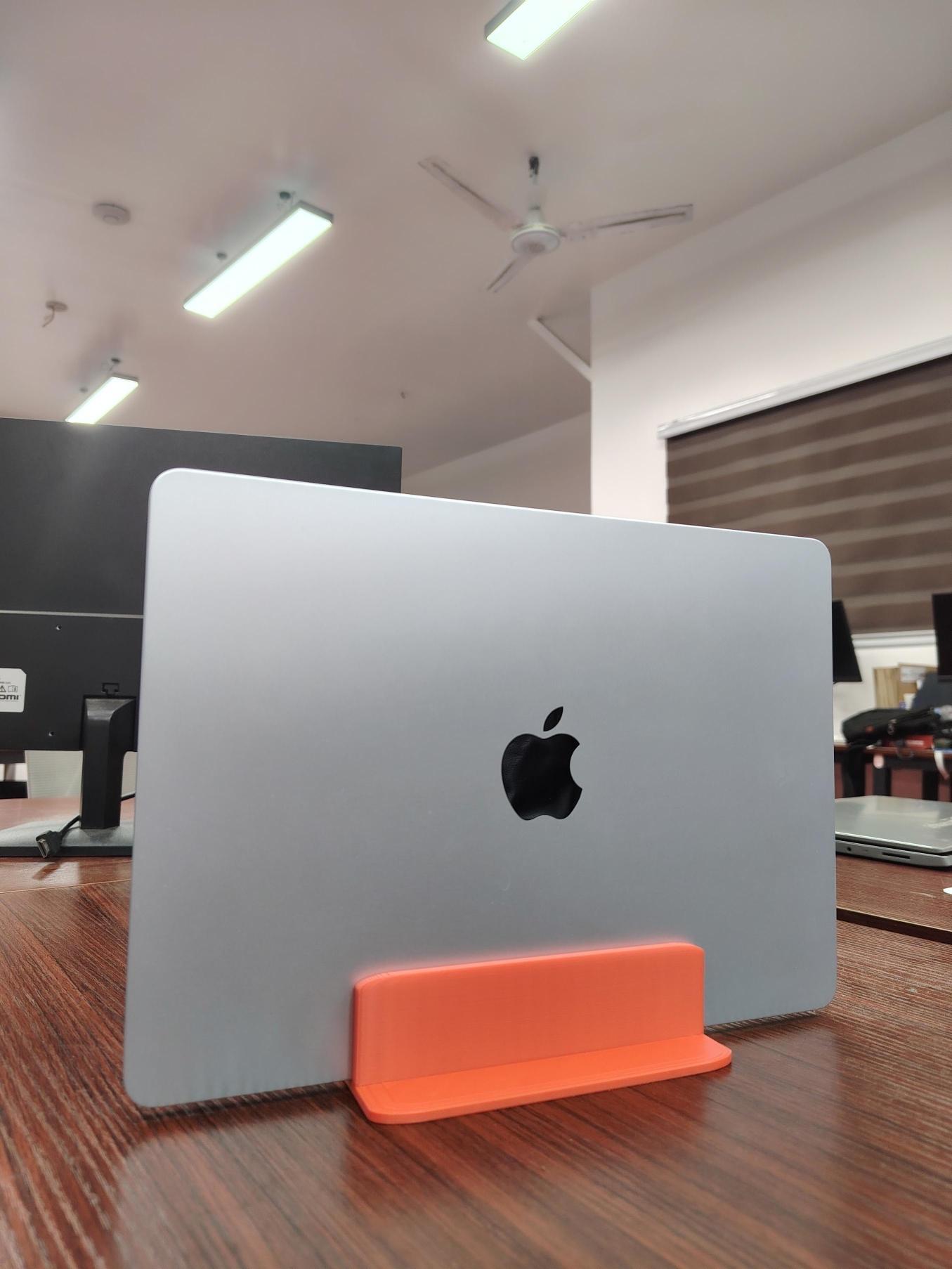
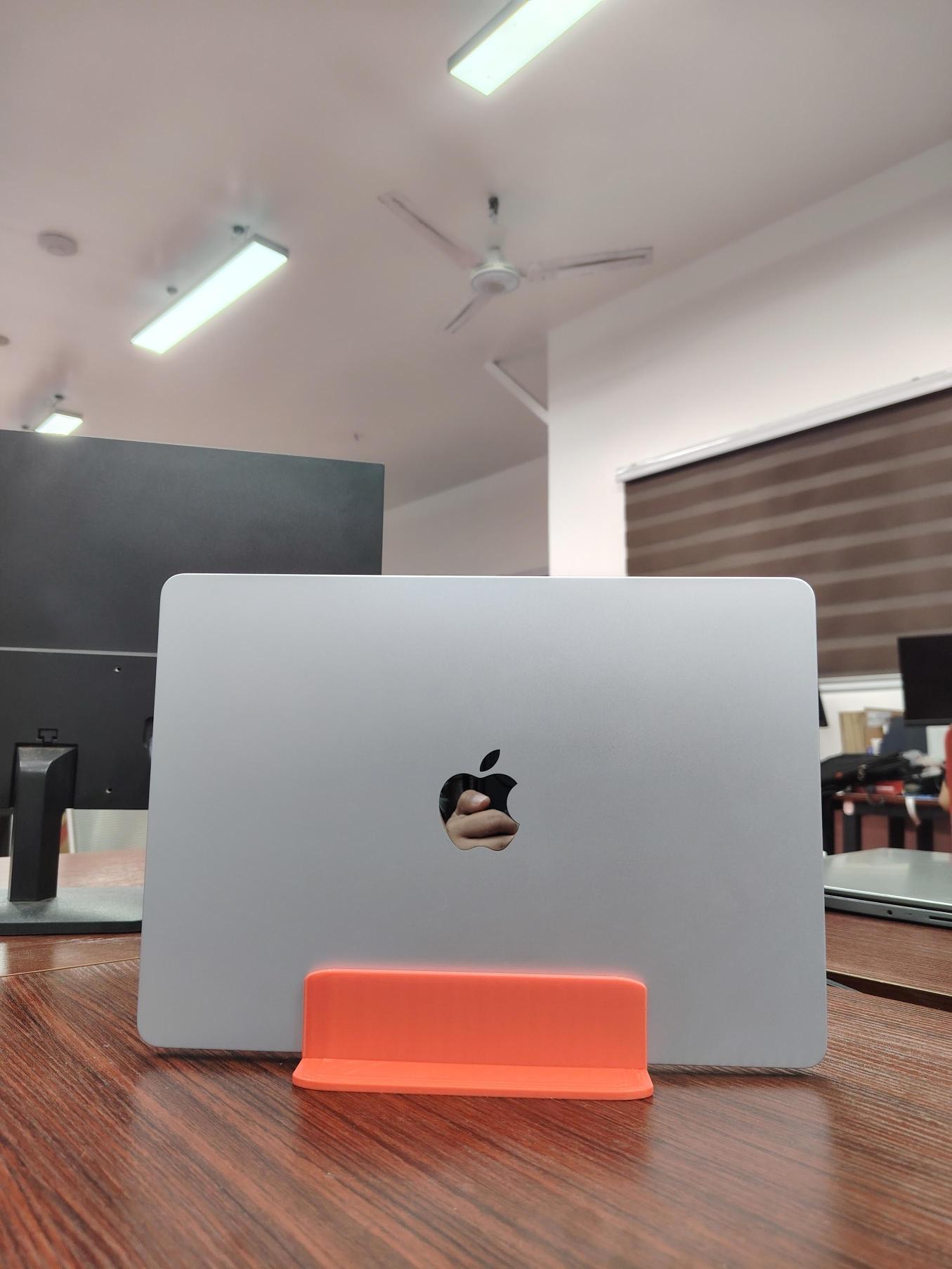
3D Printed Macbook Air Dock
Original price was: ₱250.00.₱168.00Current price is: ₱168.00.
MacBook (Pro/Air) Designed for MacBook Pro & MacBook Air,Space-saving vertical dock,Keeps your desk clean and organized,Stable and durable construction,Minimalist and modern design,Customization for other laptop models available (+₱50).
MacBook (Pro/Air)
The modern MacBook (Pro/Air) are marvels of industrial design—thin, powerful, and remarkably portable. However, this minimalism comes at a cost: the “Dongle Life.” With Apple’s transition to a strictly USB-C and Thunderbolt-centric port layout, the MacBook Docking Station has evolved from an optional luxury into an essential piece of hardware for professionals, creatives, and students alike. A high-quality dock transforms a mobile laptop into a high-performance desktop workstation with a single cable connection.
The Architecture of Connectivity
A MacBook (Pro/Air) serves as a centralized hub that multiplexes the high-bandwidth capabilities of a single Thunderbolt or USB-C port into a vast array of legacy and modern interfaces. Understanding the technology behind the dock is critical to choosing the right one.
Thunderbolt 4 vs. USB-C: While they use the same physical connector, the difference in performance is vast. Thunderbolt 4 docks offer up to 40 Gbps of bandwidth, allowing for dual 4K 60Hz monitor support, high-speed NVMe storage access, and daisy-chaining capabilities. USB-C “hubs” are often limited to 5 or 10 Gbps, which can lead to compressed video signals or slower data transfers when multiple devices are used simultaneously.
Power Delivery (PD): One of the primary benefits of a dock is “One-Cable Charging.” A professional dock provides pass-through power (typically between 60W and 100W), ensuring your MacBook stays fully charged while under heavy load, all through the same cable that handles your data and monitors.
Display Protocols: MacBooks utilize DisplayPort Alternate Mode over USB-C. High-end docks include dedicated HDMI 2.1 or DisplayPort 1.4 ports. For users of the standard M1, M2, or M3 chips (which natively support only one external display), specialized DisplayLink docks use software drivers to bypass this hardware limitation, enabling dual or triple monitor setups.
Strategic Port Distribution
A well-designed MacBook (Pro/Air) Dock isn’t just about the number of ports; it’s about the utility of those ports.
Legacy Support: Despite the push toward wireless, many professionals still rely on USB-A for thumb drives, wireless mouse dongles, and older printers. A MacBook (Pro/Air) dock provides these essential “Type-A” connections without the need for multiple individual adapters.
Media Ingest: For photographers and videographers, integrated SD and microSD (UHS-II) card slots are mandatory. Having these on the front of the dock allows for rapid offloading of footage directly into editing software like Final Cut Pro or DaVinci Resolve.
Networking: While Wi-Fi 6E is fast, it cannot match the stability and latency of a Gigabit Ethernet (RJ45) connection. For video conferencing, large file uploads, or online gaming, a hardwired connection provided by a dock is a significant upgrade.
Implementation: Desktop vs. Portable
When selecting a MacBook (Pro/Air) dock, you must choose between a Stationary Desktop Dock and a Portable Travel Hub.
Desktop Docks are typically powered by their own external AC adapter. They are heavy, stay on your desk, and offer the highest port count and power delivery. They are intended to stay plugged into your monitors, speakers, and external backup drives. When you arrive at your desk, you plug in one cable, and your entire workspace “wakes up.”
Portable Hubs are bus-powered (they draw power from the MacBook). They are small enough to fit in a laptop sleeve and usually offer a “greatest hits” of ports: one HDMI, a couple of USB-A ports, and perhaps an SD card reader. These are perfect for presentations or working from cafes but generally lack the bandwidth for high-end multi-monitor setups.
The ROI of a Professional Docking Station
The investment in a premium MacBook (Pro/Air) dock (such as those from CalDigit, OWC, or Belkin) provides a measurable return in ergonomics and productivity.
Cable Management: By consolidating ten cables into one, you eliminate desk clutter, which has been shown to reduce cognitive load and improve focus.
Port Longevity: Constant plugging and unplugging of various cables into your MacBook’s limited ports can lead to physical wear and tear. A dock acts as a “sacrificial” interface, preserving the integrity of the MacBook’s expensive logic board ports.
Efficiency: The “One-Cable” transition allows you to move from “Mobile Mode” to “Workstation Mode” in seconds. Over a year, the time saved not hunting for dongles or re-configuring monitors adds up to hours of reclaimed productivity.
Conclusion
The MacBook (Pro/Air) dock is the bridge between portability and power. It acknowledges the sleek, mobile nature of the MacBook while respecting the heavy-duty requirements of a modern professional workspace. Whether you are a coder requiring triple monitors, a producer needing high-fidelity audio interfaces, or an office worker needing reliable Ethernet and charging, the right docking station is the single most important accessory you can buy for your Mac. It doesn’t just add ports; it unlocks the full potential of the silicon inside your machine.
Link: https://murakami.com.ph/shop/
Facebook page: https://www.facebook.com/murakamiphonline
Visit the official website for more details: https://murakami.com.ph/product/macbook-pro-air-dock/

0 reviews for 3D Printed Macbook Air Dock
Only logged in customers who have purchased this product may leave a review.